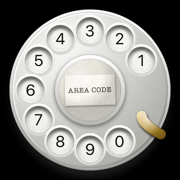
Take your iPhone back to the 20th Century.
A real rotary dial for your iPhone. Put your finger in, turn it to the stop and let go. It spins back, clicking ten times a second. And it really calls.

$2.99, once. No ads, no subscription, no account. iPhone, iOS 17 or later.
A small machine that does one thing beautifully.
It feels real
The ratchet ticks under your finger as you turn. Let go and the governor whirs, one click for every pulse, and the dial lands with a clack. Haptics follow every click.
It really calls
Dial a number, or pick a contact and watch the dial do it for you, digit by digit. The call goes through your iPhone's own Phone app.
Show someone
Hand it to a kid who has never seen a rotary phone, or to a grandparent who grew up with one. Never used one? Tap the question mark and a ghost finger shows you how.
The way a dial has always worked.
- Put your finger in and turn the dial to the stop.The dial follows your finger exactly, and the ratchet ticks as it turns, faster the faster you go.
- Let go.The dial spins back on its governor at ten pulses a second, clicking on every pulse, and lands with a clack. The digit appears above the dial.
- Or let it dial for you.Pick someone from Contacts and watch it dial the whole number, then place the call. Rather tap a number than turn it? Switch on Tap to dial in Settings.

Open it. The dial stays put.
Made for iPhone Duo: open it and the dial stays where it was, with a paper card beside it for Speed Calling, eight numbers under the digits 2 to 9 as on the phone company's old service, and How to dial.
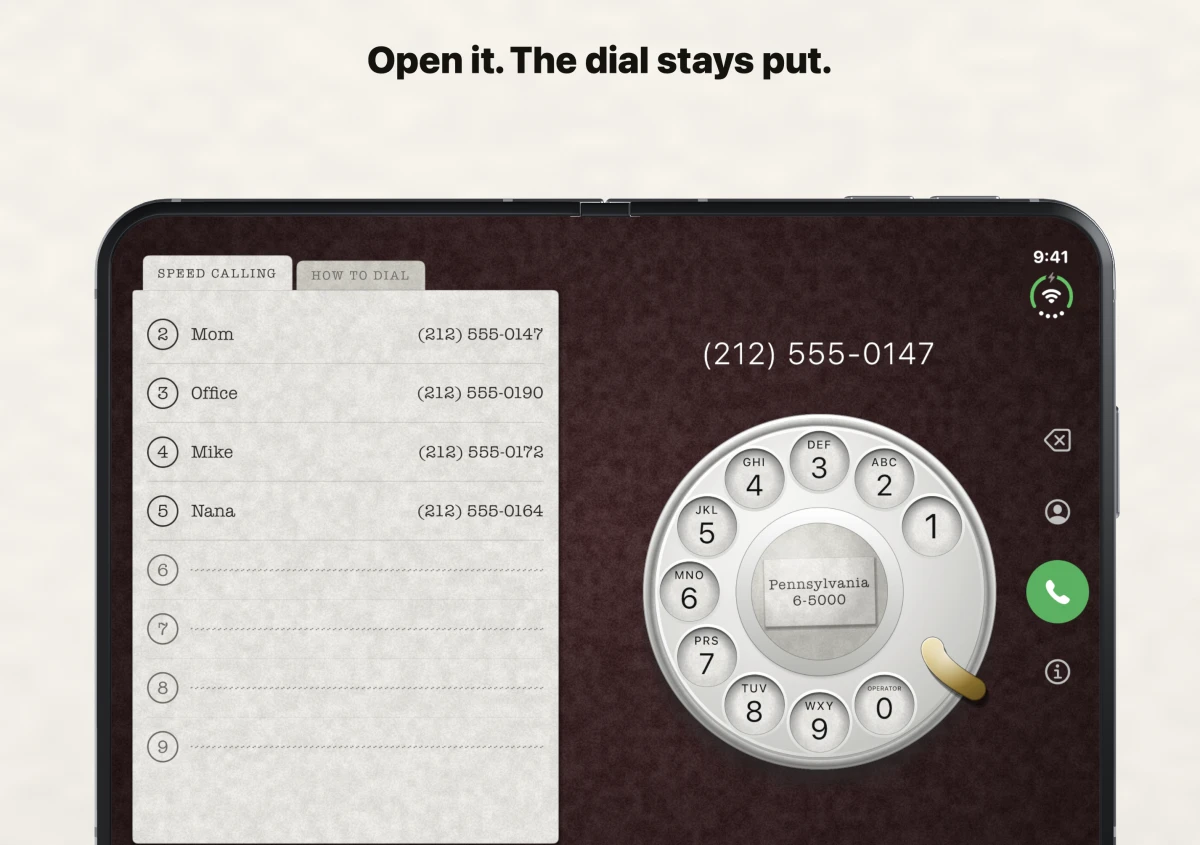
Speed Calling keeps eight numbers under the digits 2–9, just like the phone company’s old service. Tap a name and watch the dial call it for you. The other tab shows how to dial. Stand the phone upright and the card moves above the dial.

Your number on the card. Your table under the dial.
Real dials carried the phone's exchange and number on a paper slip in the middle. Type your own, like LAkewood 3697, and it is there under the cap.
The dial starts on oxblood. Choose black, graphite, green felt or navy in Settings. Switch the letters, sound, haptics and tap to dial on or off.


Launched with the App Store. Still here.
iRetroPhone went on sale on July 10, 2008, the day the App Store opened, one of the first five hundred apps. It has been on sale every day since, and version 3 rebuilds it from the dial up for every iPhone made in between.
“And iRetroPhone, the goofiest $2.99 I’ve spent so far, draws an old-fashioned rotary dial on the screen.” The New York Times, Bits, July 14, 2008
- 10 Jul 2008On sale the day the App Store opens.
- 2010Redrawn in high resolution for iPhone 4.
- 2025Version 2.2, with better sound.
- 2026Version 3: every part drawn fresh, sound and haptics generated from the mechanism, every iPhone, six languages.
Before you tap.
- Does it really make calls?
- Yes. Dial the number, tap the green button, and your iPhone's Phone app places the call. iRetroPhone never handles the call itself.
- I've never used a rotary phone.
- Tap the question mark above the dial and a ghost finger shows you: into a hole, round to the finger stop, let go. Tap a hole twice without turning it and it shows you by itself.
- Can I just tap the numbers?
- Yes. Switch on Tap to dial in Settings and a tap turns the dial for you. It is off at first, because turning it yourself is the point.
- Which iPhones?
- Any iPhone running iOS 17 or later. The dial is drawn, not a picture, so it is sharp on every size. It is iPhone only.
- Which languages?
- English, German, French, Spanish, Italian and Japanese.
- Is there a subscription?
- No. $2.99 once, and every update since 2008 has been free.
- What does it collect?
- No account, no analytics, no ads, no network requests. The system contact picker shares the name and number you choose. Speed Calling saves those entries on your device.
- Can I turn the sound off?
- Sound and haptics each have a switch in Settings. The dial plays with the ring switch off, like a music app, so it works at a party.
For the curious: the dial by the numbers
| Finger wheel | Ten positions, 30° apart. Digit 1 sits at 60°, the finger stop at 120°; 0 travels 330° to reach it. |
|---|---|
| Spin back | Governed at 280° per second: 9.3 pulses a second, one every 30°. |
| Ratchet | One click per 4.5° tooth as you turn; louder the faster you turn. |
| Dialing | Let go within 12° of the stop and the digit dials. With Tap to dial on, a tap on a number dials it for you. |
| Sounds | The clicks are generated from the mechanism as it moves. The landing clack and the hang-up are the recordings from 2008. |
Dial like it's 1958.
Three dollars, once. On your iPhone in a minute.